- Dependencies
- 5
- Runtimes
- Node · Bun
- Output
- Static HTML, CSS & JavaScript
- License
- MIT
The mental model
Content, markup and logic. Each in its place.
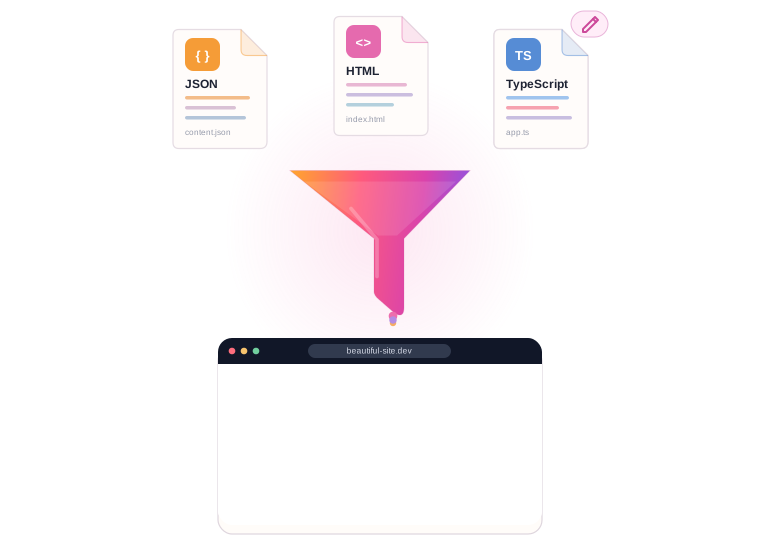
Store content in JSON or Markdown, compose pages in HTML, and use TypeScript functions to turn data into markup. HTML comment directives connect the pieces, making it clear where content comes from and how each page is built.
1Data
Content in JSON or Markdown.
Content lives in JSON or Markdown files, apart from markup and code. Update the data file, and rebuild every page that uses it.
Datasrc/app/data-sources/talks.json
[
  { "title": "Static sites in 2026", "date": "2026-03-12", "place": "Milan" },
  { "title": "Agents and the web", "date": "2026-05-02", "place": "Online" },
  { "title": "Shipping with YASSB", "date": "2026-09-18", "place": "Turin" }
]2UI
HTML pages with reusable components.
Pages are plain HTML. Write a block once as a component and reuse it anywhere. A directive marks where data goes: it names the data file and the renderer that turns it into HTML.
UIsrc/app/pages/index.html
<main>
  <!-- component="site/header.html" -->
  <h1 data-t="HOME.TITLE">Talks</h1>
  <ul class="talks">
    <!-- create-from-data-source="talks.json" renderer="talkList" options="{"limit":3}" -->
  </ul>
</main>3Logic
Render data with TypeScript at build time.
A renderer is a typed function: it gets the data and options from the directive and returns HTML, with any loop or condition you need. Custom directives are TypeScript too. All of it runs at build time: visitors get static HTML.
Logicbuilder/renderers.ts
import { RendererProps } from 'yassb-web';

type Talk = { title: string; date: string; place: string };

export function talkList({ source, options }:
  RendererProps<Talk[], { limit?: number }>) {
  return source
    .slice(0, options?.limit)
    .map(t => t.place === 'Online'
      ? `<li>${t.title} · <a href="/live">watch live</a></li>`
      : `<li>${t.title} · ${t.place}</li>`)
    .join('');
}
Site-building features
Components, Markdown, translations and asset bundling.
Reuse page sections, generate pages from Markdown, build multiple language versions, and bundle styles and scripts in the same build.
Components
Reuse HTML across pages
Reuse headers, footers and sections with one comment. HTML, SVG and Markdown components, nested as deep as you like, with front matter placeholders.
{ "title": "Agents" },
{ "title": "Speed" }
]
Data + renderers
Generate HTML from your data
A page names the file it shows and the function that renders it. Typed props, no template language, nothing hidden.
---
title: Hello world
date: 2026-01-15
---
# Hello
Write **Markdown**, get a page.
Markdown
Blogs and docs
One page per Markdown file, with front matter. These docs are built that way.
<h1 data-t="HOME.TITLE">
Translations
Build each page in multiple languages
Mark text with a key; each page is built once per language, and missing keys are reported.
Assets
Compile styles and bundle scripts
Use Sass by default or configure Tailwind and other PostCSS plugins. Bundle TypeScript and JSX scripts with esbuild.
Agent-ready
Give your coding agent a map, documentation and checks.
Inspect the project structure, read documentation for the installed version, and validate changes from the command line. Structured output and source locations help agents find the files to edit and diagnose build errors.
$ npx yassb inspect
YASSB project my-site@1.4.0 (yassb-web 2.1.1)
Languages: en, it (first one served at /)

Pages (6):
  src/app/pages/index.html  "Home"
    components: site/footer.html, site/header.html
    data: talks.json→talkList, team.json→peopleCards
Data sources (4):
  talks.json   array(12) of {title, date, place}
               ← src/app/pages/index.html:18
Renderers:
  talkList     custom    used 2×
  peopleCards  custom    used 1×
yassb inspect
A map of any site in one command
Pages, components, data sources, renderers and every directive with file and line. Read-only, with --json for a full manifest.
$ npx yassb check
error DATA_SOURCE_NOT_FOUND
  src/app/pages/index.html:18
  Data source "talk.json" not found.
  hint: paths are relative to data-sources/

✗ 1 error(s), 0 warning(s)  → exit 1
yassb check
Check the build after a change
Builds and validates: directives, data, translations, links, undeclared packages. Returns a non-zero exit code when validation fails.
{
  "level": "error",
  "code": "RENDERER_FAILED",
  "file": "src/app/pages/index.html",
  "line": 18,
  "message": "Renderer \"talkList\" failed: …",
  "fatal": true
}
Diagnostics
Errors an agent can act on
Every problem has a stable code, the source file, the line and a hint. No more guessing from a stack trace.
$ npx yassb docs features
directive (8)
  directive.component
  directive.create-from-data-source
  directive.url-to   …
config (21)   cli (8)   i18n (2)   …
yassb docs
The manual, in the terminal
The complete guide ships with the package, matching the installed version and available directly in the terminal.
58
features · documentation coverage checked
Feature catalogue
Documentation coverage checked during development
Every feature is tagged in the code. If one is missing from the docs, YASSB's own build fails.
Developer experience
Edit, save, preview.
Preview changes as you work. YASSB watches content, styles, scripts and build configuration, updates the browser, and shows build errors directly in the page.
- 1Fast previews, verified against a clean build.
- A warm process rebuilds a content change at once, then a clean one checks it gives the same output as
yassb build. Change your code or the config and a new process picks it up. - 2CSS updates without a page reload.
- A stylesheet edit swaps the CSS without reloading; a script edit only rebundles the scripts.
- 3Build errors shown in the browser.
- If your code throws, the server stays up and the browser shows what broke, with file and line.
- 4Write build logic in TypeScript.
- Config, renderers and directives in TS or TSX, compiled by esbuild. No separate compilation step for your build configuration, renderers or directives.
$ yassb watch

   YASSB   v2.1.1  watch  node 22.20.0

  › assets                      0 ms
  › texts                       9 ms
  › html en                    16 ms
  › html it                     3 ms
  › post-processing             2 ms
  › styles                    102 ms
  › scripts                     1 ms
  ● i18n missing translations: en 2, it 3 (yassb check lists them)
  07:12:34 ✓ built in 211 ms (html, styles, scripts)  0 errors · 9 warnings

  ● ready  http://localhost:3000
           dist/public · watching for changes · ctrl+c to stop

  07:12:35 change src/app/styles/styles.scss
  › assets                      0 ms
  › styles                      5 ms
  07:12:35 ✓ built in 7 ms (styles)  0 errors · 0 warnings
  07:12:35 ✓ verified in 156 ms · same output as yassb build

  07:12:41 change builder/renderers.ts
  › assets                      1 ms
  › texts                       9 ms
  ✗ error RENDERER_FAILED src/app/pages/index.html:18
    Renderer "talkList" failed on `<!-- create-from-data-source="talks.json"
    renderer="talkList" options="{"limit":3}" -->`: Cannot read properties
    of undefined (reading 'title')
      TypeError: Cannot read properties of undefined (reading 'title')
          at Object.talkList (/home/me/my-site/builder/renderers.ts:6:35)
  › html en                    15 ms
  › html it                     4 ms
  › post-processing             2 ms
  › styles                     98 ms
  › scripts                     1 ms
  07:12:41 ✗ built in 214 ms (html, styles, scripts)  1 error · 9 warnings
RENDERER_FAILED src/app/pages/index.html:18
Renderer "talkList" failed on <!-- create-from-data-source="talks.json" renderer="talkList" … -->: Cannot read properties of undefined (reading 'title')
In numbers
Light to install, quick to build.
Measured on a real bilingual site: thirteen pages, a blog, Tailwind and custom directives.
Runtime dependencies
5
58 installed packages in all. Node built-ins first, one tool per job.
Save → refresh
<0.4s
Time from saving a content change to seeing the updated page in the browser. Rebuild output is also verified against a clean build.
Full build
1.3s
Minified, validated, ready to deploy; 0.9 s on Bun.